Android 11 or later. Requires your own Home Assistant installation.
Your everyday view01 / Overview
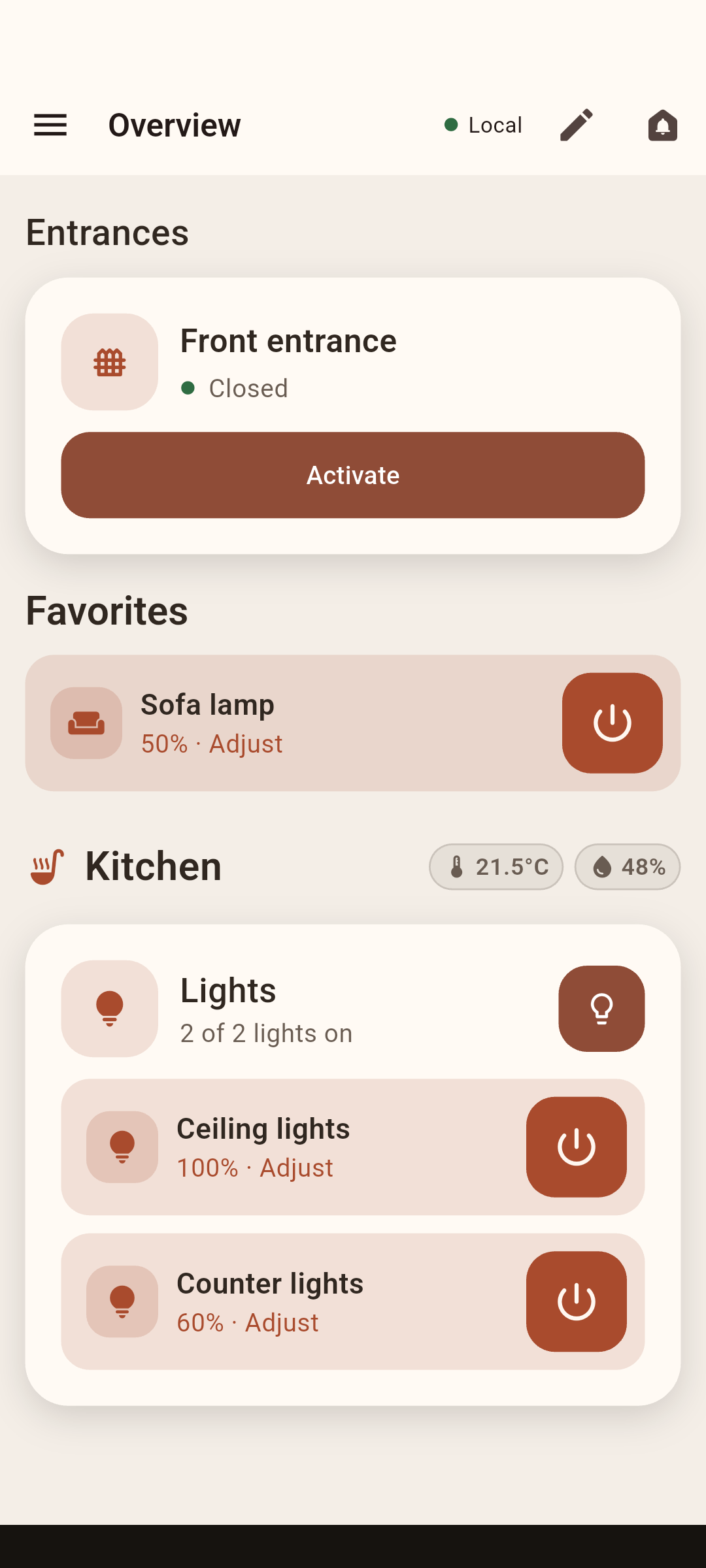
Actual development screen, with example home data. Select to see the full screen.
On your phone
Your rooms. Just the controls you need.
Connect to Home Assistant, choose your areas, and edit each page directly.
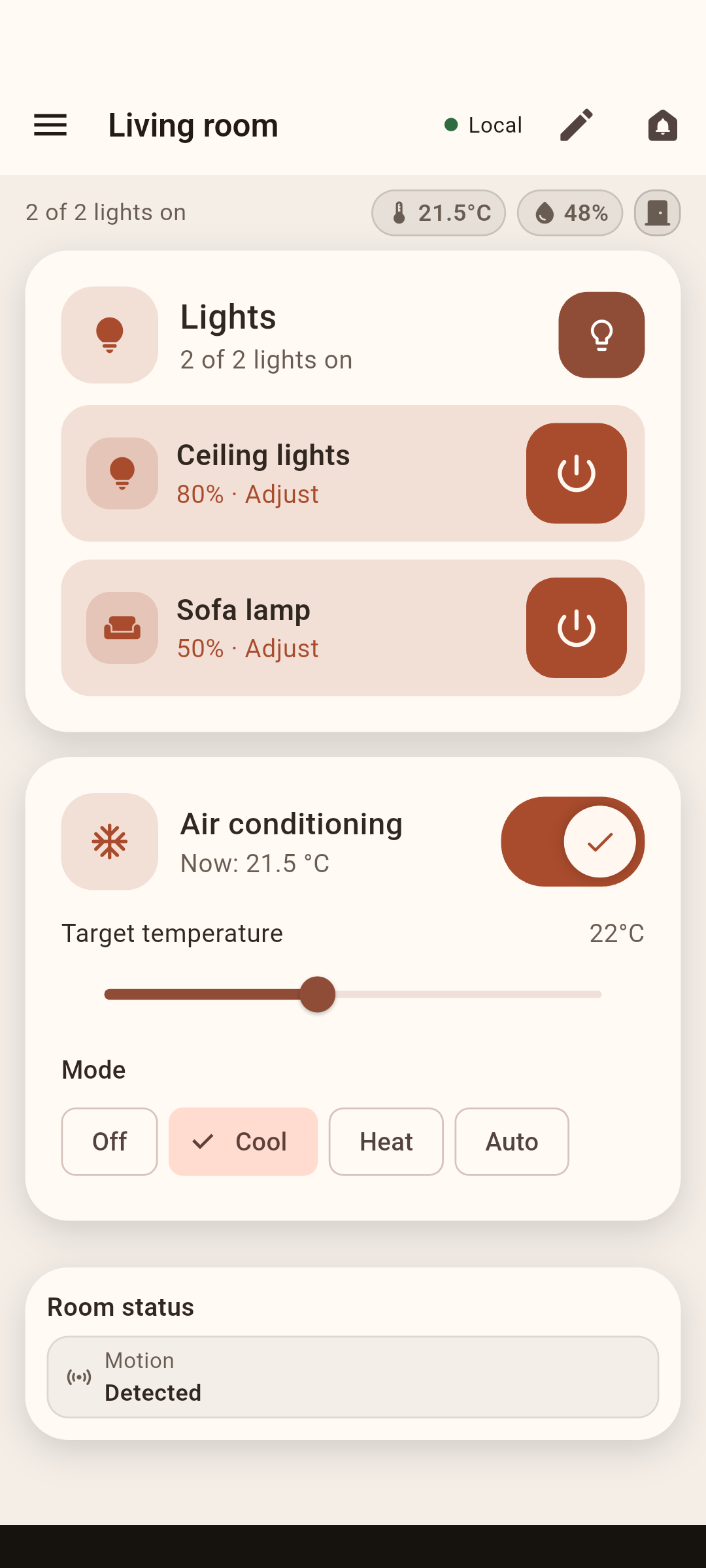
Living room · Lights, AC, temperature, humidity and room sensor states
Lights, climate and entrances
Everyday controls alongside the states that matter. See whether a door is open without digging through entities.
Daily reminders and waste collection
Check the calendar section for daily reminders and see which waste or recycling is due for collection today, using your Home Assistant calendars.
Cameras and doorbells
Choose your cameras and entrance controls. Lower-bandwidth streams are the default; Pro can select an available higher-quality fullscreen stream.
An Overview that fits your home
Free lets you choose, rename, reorder and hide up to six distinct entities on your personal Overview. Area pages stay automatic, with no six-entity limit. Pro adds unlimited Overview controls and customization throughout your home.
At home and away — included Free
Save your home Wi-Fi networks and your local and remote Home Assistant addresses. Elunava automatically prefers your local connection on trusted Wi-Fi and uses your configured remote address when you are away.
Around the house
A room check. A ring at the gate.
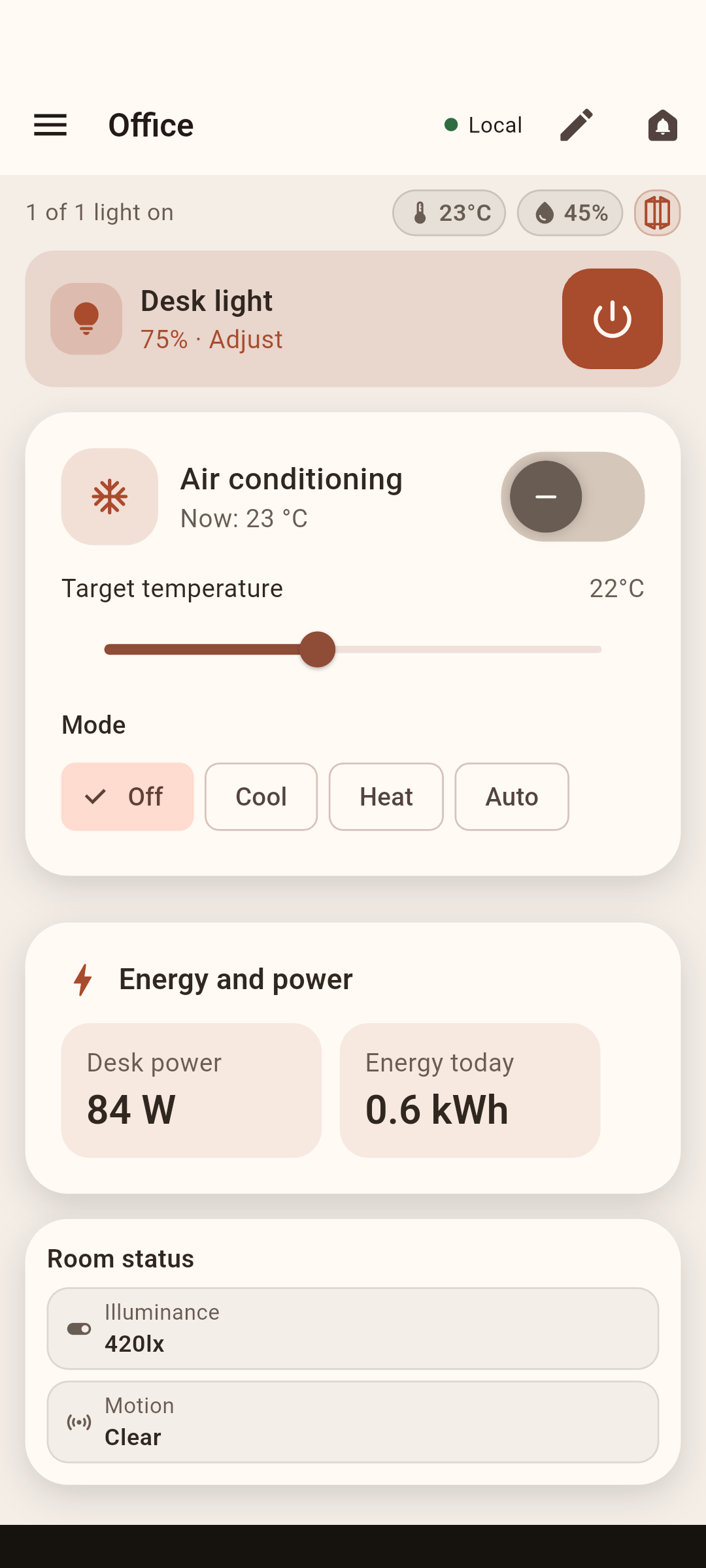
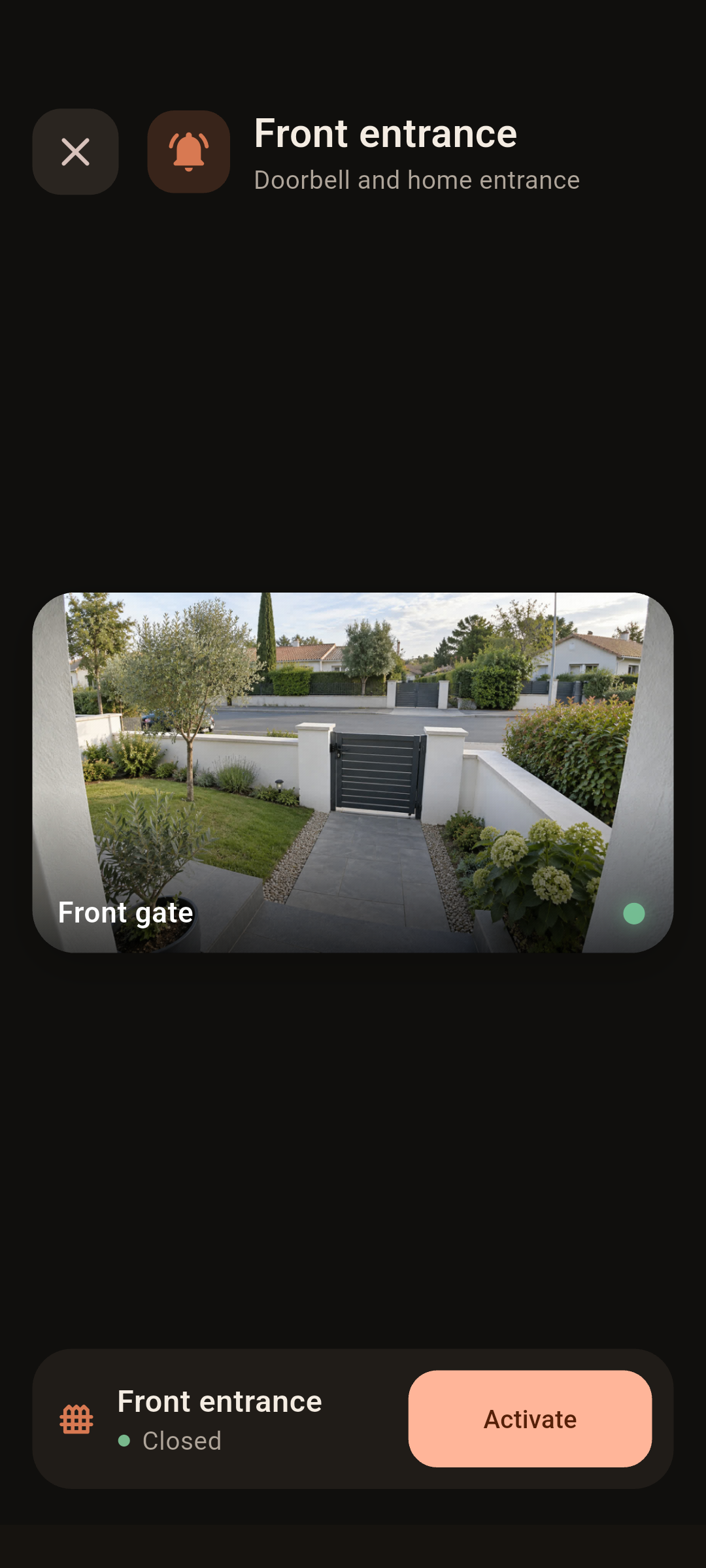
Actual app screens from an example home. Development previews, not a connection to a real household. Screenshots show the English interface.
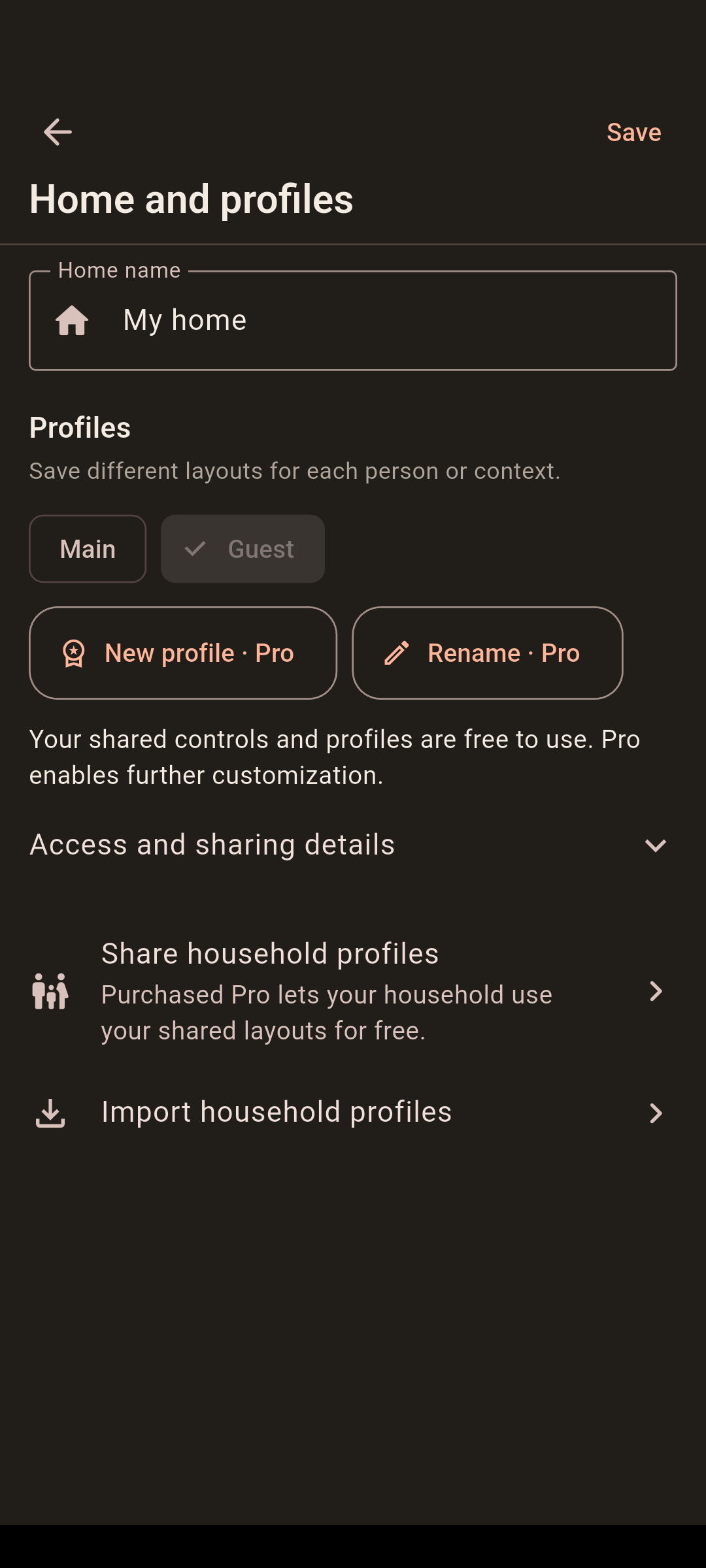
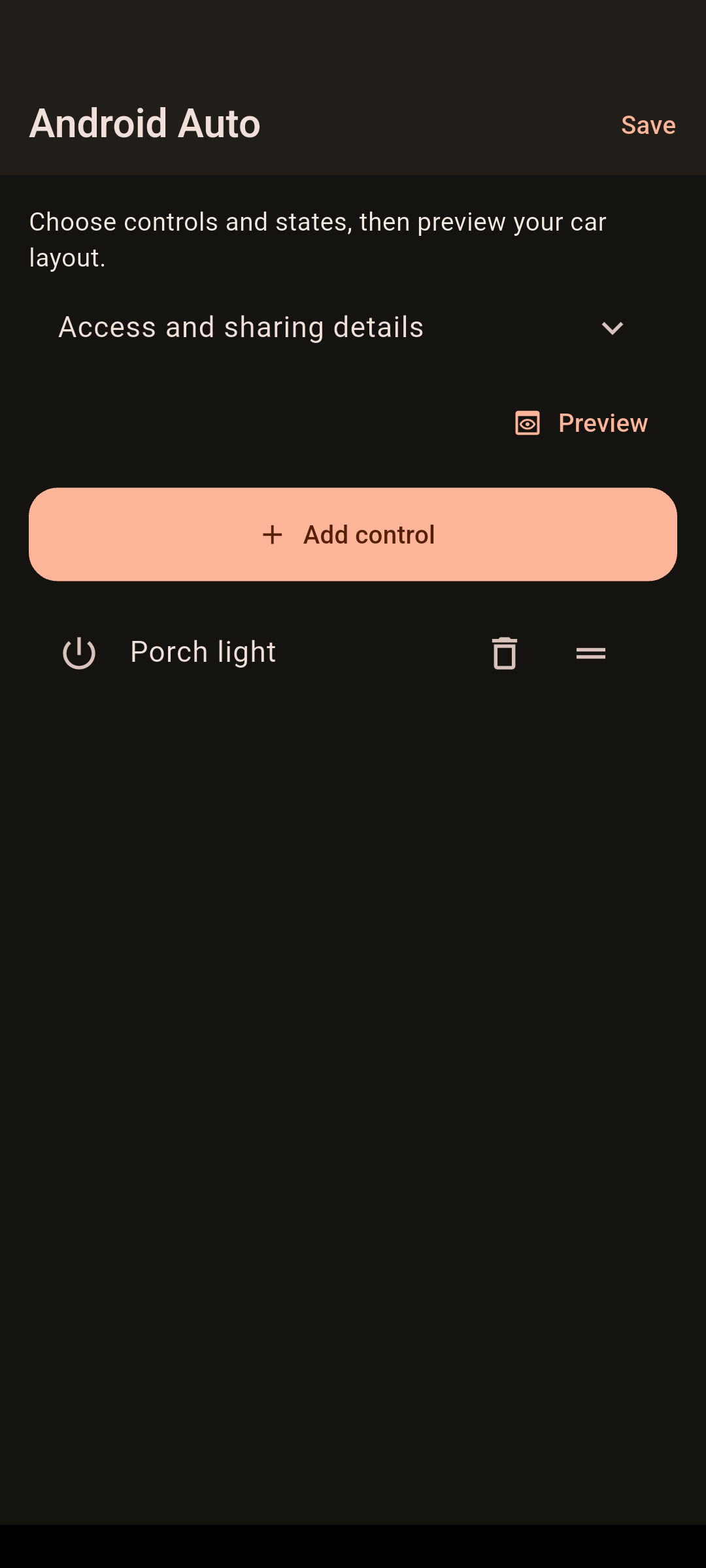
Office · A light, AC and window state, with temperature and humidity at the top, plus power, energy, illuminance and motion readings below.Doorbell · See the entrance and use its gate control. The camera scene is AI-generated demo imagery displayed inside the running app.Shared household profilesAndroid Auto configuration on the phone
Android Auto
Pro feature
The gate you open. The home you check.
Your useful home controls and selected states, on the car display. Home Assistant keeps handling your automations.
Open a gate, control a light, check selected doors and windows, or see whether the heating or AC is running.
Actions and states
Control it. Or just check it.
Pair a supported action, script or scene with a state sensor, or add a state-only item. When you choose a light, Elunava uses it for both the action and the displayed state; you can change either selection.
Pro & active trial
Your controls. Your arrangement.
Choose names, icons, ordering and groups for your controls and selected entrance, security and climate states. Preview the arrangement on your phone. Elunava sets no item cap; Android Auto host limits apply.
Android Auto requires your own Pro and is included during the 14-day trial. Configure it on your phone. No ads or upgrade prompts on the car screen, and no separate car subscription.
Android Auto requires a compatible car or head unit.
Free & Pro
A whole home is not a paid feature.
Unlimited rooms and devices in your phone’s area pages. Pro adds more customization and Android Auto.
Try Pro for 14 days, with no automatic charge. Unlock it with one purchase, not a subscription.
Free and Pro features
Feature
Free
Pro
Phone area pages: rooms and devices
Unlimited
Unlimited
Supported phone controls and camera viewing
Included
Included
Home Wi-Fi detection and Local/Remote switching
Included
Included
Area-page visibility and order
Automatic
Show, hide and reorder
Corrections to automatic device detection, plus camera, sensor, calendar and gate setup
Included
Included
Backup and restore
Included
Included
Area-page names, icons and layouts
Automatic
Custom names, icons and layouts
Personal profiles
One
Multiple
Sensor-driven appearance
—
Included
Personal Overview entities, with renaming, reordering and hiding
Up to 6
Unlimited
Use profiles shared by a Pro user
No entity limit
No entity limit
Edit shared names, icons and layout
Requires Pro
Included
Create household shares with purchased Pro
Requires Pro
Included
Android Auto controls and states
—
Included
Free recipients can use every verified shared profile and all included entities for the same Home Assistant installation. The personal Overview limit of six distinct entities does not apply to these profiles. Editing Pro presentation options and Android Auto require your own Pro or active trial; creating permanent household shares requires purchased Pro. Trial edits stay saved; buy or restore your own Pro to use them in full after expiry. For free shared access, you can instead import an eligible original or new copy from the sender. This replaces your current configuration.
After the 14-day trial, there is no automatic charge. Your personal Free Overview keeps up to six distinct entities; automatic area pages have no six-entity limit. On your personal Overview, cameras, calendars and sensors count too; an action and a separate state sensor count as two. Saved Pro preferences and Android Auto settings return on purchase or restoration. Verified household layouts retain the original shared presentation. Trial edits stay saved; buy or restore your own Pro to use them in full after expiry. For free shared access, you can instead import an eligible original or new copy from the sender. This replaces your current configuration.
Current builds have no ads. Final purchase pricing will be shown at launch.
Direct home connection
Your phone. Your Home Assistant.
The app connects to the Home Assistant address you configure, over your chosen network or remote-access route. No separate Elunava account or household-data relay. A separate Elunava licensing service verifies trials and Pro purchases.
Google Play handles its own platform statistics and purchases. We add no product-analytics or crash-reporting service to the app.
Yes. Purchased Pro can share layouts for the same Home Assistant installation. After signing in with their own Home Assistant accounts and verifying the installation, Free recipients can use all included entities and profiles, with the shared names, icons, visibility and order. The personal six-entity Overview limit does not truncate a verified shared layout. Editing its Pro presentation options or using Android Auto requires your own Pro or active trial. If you edit a shared layout during the trial, full use of those edits after expiry requires your own purchased or restored Pro. Your edits stay saved; you can also re-import an original shared copy to replace the configuration.
Only import files from someone you trust. Imports replace connection settings, profiles, layouts, device mappings and Android Auto settings; they do not merge or sync future changes. Credentials and purchase rights are not transferred. Creating permanent household shares requires purchased Pro, not a trial. Existing sharing permissions do not expire with the sender’s Pro access. Ordinary backups do not automatically grant shared access. Newly imported shares still need verification; until then, the layout stays saved and your own Free, Pro or trial limits apply.
Do I need Home Assistant?
Yes. Elunava is a client for an existing Home Assistant installation. It does not replace your server. Home controls connect directly to it; trial and purchase verification use Elunava’s licensing service.
Can I use it away from home without Pro?
Yes. Home-network settings and automatic Local/Remote address selection are included in Free, including after the trial. Configure your trusted Wi-Fi networks and the Home Assistant addresses to use at home and away. You can also choose Local or Remote mode manually. These labels identify the selected address; connection status tells you whether Home Assistant is reachable.
Elunava does not provide or start a VPN. If your Home Assistant address requires a VPN, configure and connect to it separately on your phone. Alternatively, use an existing secure remote-access address. Wi-Fi detection needs the relevant Android permissions; any remote-access provider you choose may have its own fees.
Can I download it now?
Elunava is currently in testing. A public download link will be added here when the Google Play listing is available.
Which languages are supported?
US English, European Portuguese, French, German, Italian, Spanish, Greek, Dutch, Polish and Simplified Chinese. Use a supported device language or choose one in Settings.
Is this an official Home Assistant app?
No. Elunava is independent and is not affiliated with or endorsed by the Open Home Foundation or Home Assistant.